Blog
Offrefy Multi-Language Widgets: Customize Every Word for Your Shopify Store
Offrefy storefront translations let you customize widget headings, labels, and buttons — multi-language support and auto-translate so every Shopify customer sees the right message.
By Offrefy · Updated
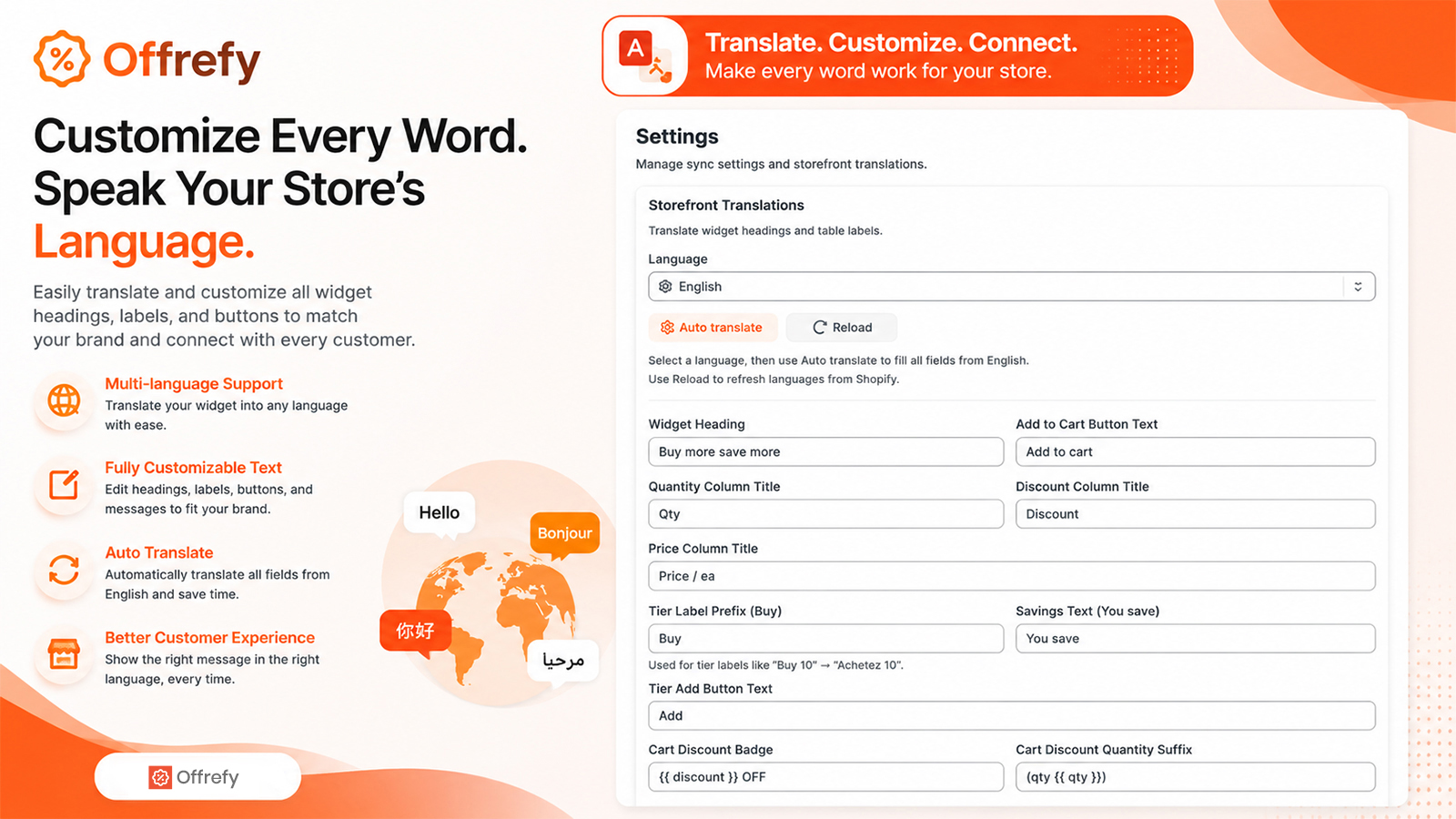
Quantity breaks convert better when the copy matches your brand and your customer’s language. Offrefy lets you customize every word — headings, labels, buttons, and savings messages — so your Shopify store speaks fluently in every market.
Speak your store’s language
- Multi-language support — translate your widget into the languages you sell in.
- Fully customizable text — edit headings, labels, buttons, and messages.
- Auto translate — speed up localization from English when you need it.
- Better customer experience — show the right message every time.
What you can edit
Control widget heading, add-to-cart button text, table column titles (Qty, Discount, Price / ea), tier prefixes like “Buy,” savings text like “You save,” cart discount badges, and more — so Offrefy feels native to your theme and brand voice.
Global catalogs, one Offrefy app
Europe-first admin languages plus editable storefront strings help teams run Offrefy across markets without rebuilding campaigns. Pair translations with quantity breaks and volume discounts to keep AOV rising worldwide.
Install Offrefy free on the Shopify App Store — quantity breaks that apply at checkout.